
Some Android players are reporting no in-game sound in The Division Resurgence. Our team is actively investigating this issue.
The following steps have been confirmed to restore sound on several Android devices. However, this workaround requires the Mic / Speaker toggle, which only becomes available once you have reached multiplayer area for the first time — meaning it may not yet be accessible if you are still working through the early solo missions.
We understand this is not ideal, and we are sorry that the fix is not immediately available to everyone from the start.
For players who have already unlocked the Mic / Speaker toggle by reaching the multiplayer area:
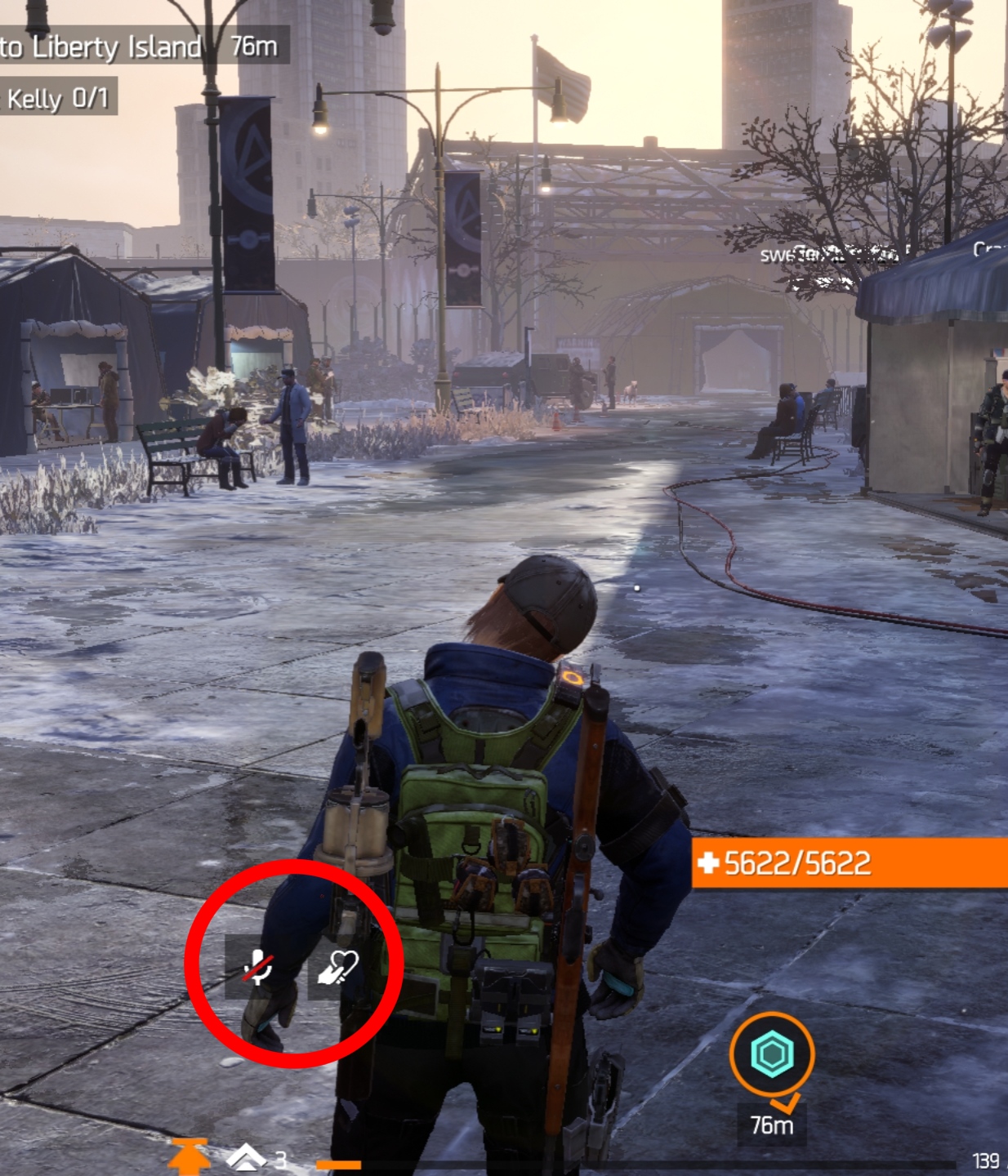
1. While in-game, tap the mic icon:
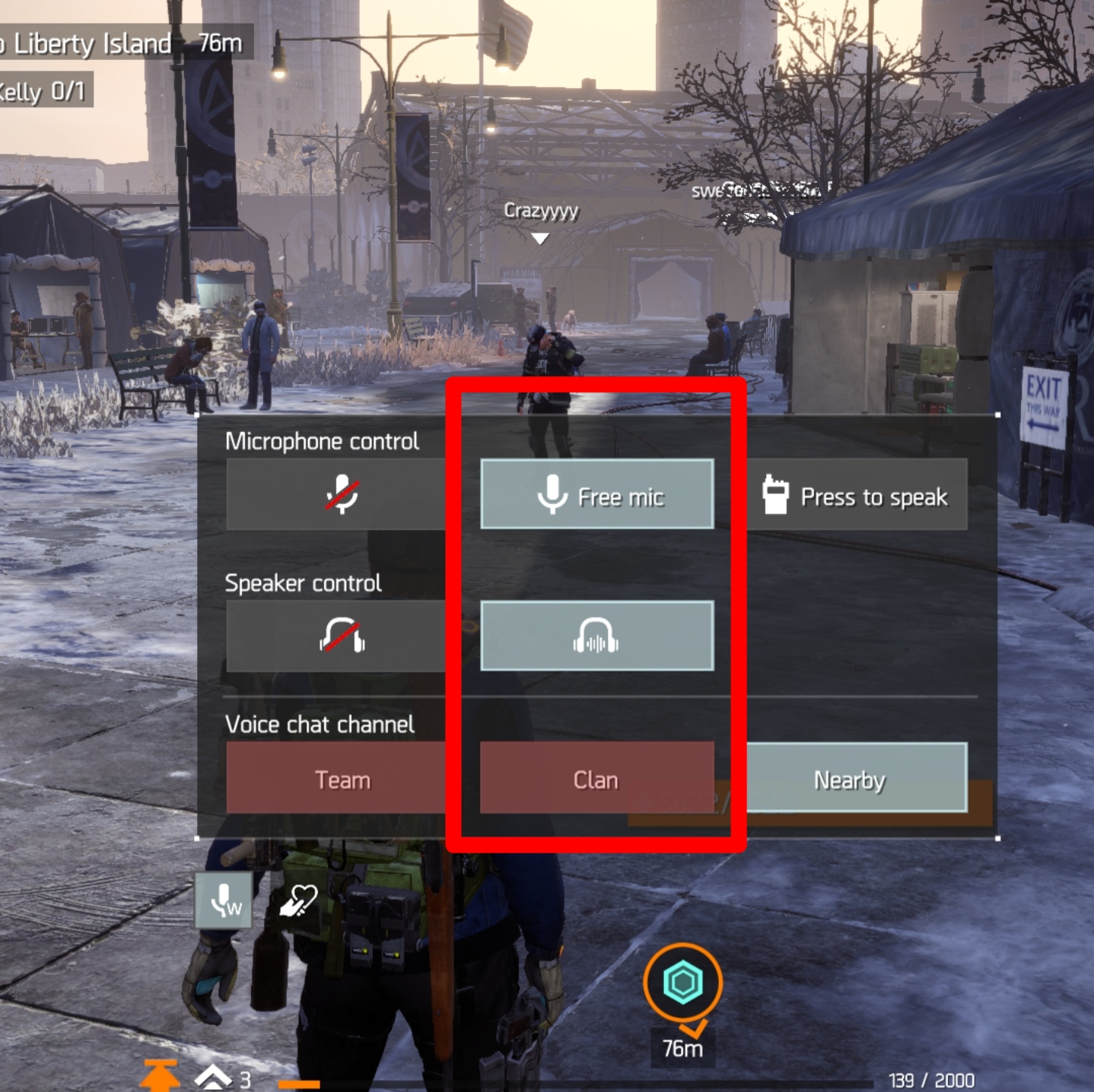
2. Turn Mic and Speaker controls on:
3. Exit the Mic and Speaker controls
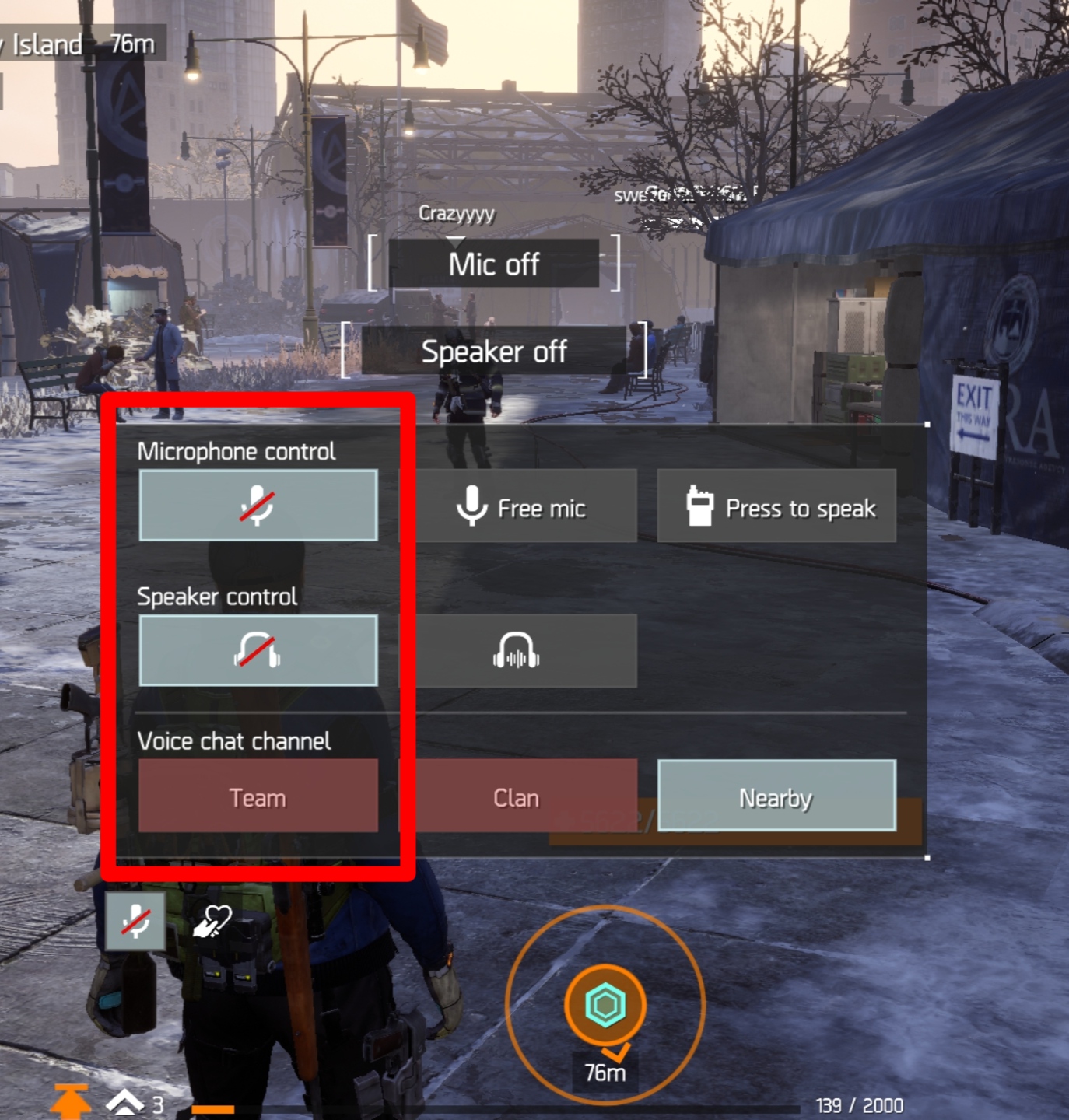
4. Open the same menu again and turn Mic and Speaker off:
5. Check whether sound has returned
If the above does not resolve the issue after reaching the multiplayer area or before the option is made available, try minimising the app and then returning to the game, as this has also helped restore sound for some players.
If neither workaround resolves the problem, please contact support again so we can log your device details and continue investigating.